Speed Builder: a tempo trainer for music practice
Start at a tempo you can manage, set a goal, and Speed Builder raises the tempo step by step while you keep practising.
 Coming soon on theقريباً علىApp Store
One-time purchase. No subscription, no ads, no accounts.
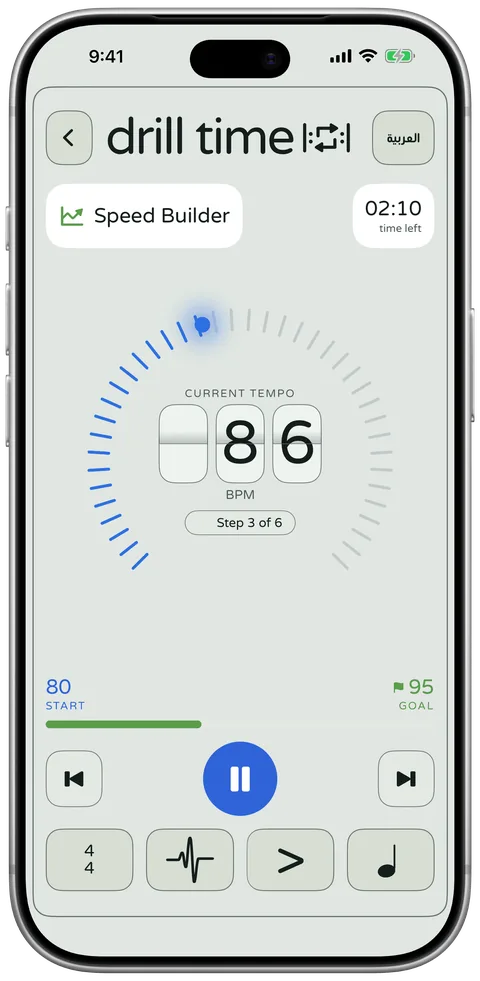

Slow to fast, one step at a time
Set a start tempo you can manage cleanly and a goal tempo you want to reach. Speed Builder raises the tempo in small steps, so each one feels only a little harder than the last.
You decide how it climbs
Choose a session of 3, 5, 10 or 15 minutes, your own length, or a single climb with no time limit. Auto works out the increase so you reach your goal in time.
Prefer to set it yourself? Manual adds 1 to 30 BPM every 1 to 32 bars, and stops when you reach the goal or when the time ends.
Add a count-in of 1, 2 or 4 bars, and choose whether the click accents every beat, only the first beat, or none.
Session length
- Once
- 3 min
- 5 min
- 10 min
- 15 min
- Custom
Progression
- Auto
- Manual
Count in
- None
- 1 bar
- 2 bars
- 4 bars
- Custom
Metronome accent
- All beats
- First beat
- Off
Always know where you are
The screen shows the current tempo, the step you are on, the time left, and your start and goal tempos. Pause whenever you need a moment.
At the end you see a calm summary, such as Goal reached, or how many BPM the tempo rose.
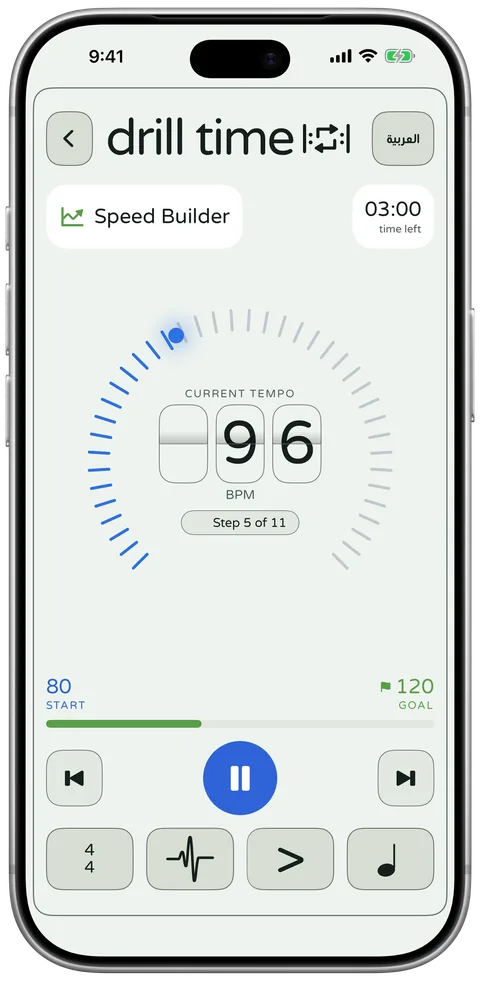
Building speed with Speed Builder
How to use it, the habits I teach, a sample plan, key terms and common questions.
Who it helps
Every week a student tells me a passage is fine slowly but falls apart at full tempo. Speed Builder is made for that gap. It helps:
- Students learning scales, studies or fast passages.
- Anyone who has been stuck at the same tempo for weeks.
- Exam candidates who need to reach a marked tempo.
- Teachers who want to set a clear tempo goal for the week.
How to use it
Set a start tempo you can manage cleanly and a goal tempo you want to reach, then start. Speed Builder raises the tempo in small steps, so each step feels only slightly harder than the last.
- Choose the passage. Short is better: one phrase or a few bars.
- Set the start tempo where the passage is clean and relaxed.
- Set the goal tempo, often the marked tempo of the piece.
- Start, and keep repeating the passage. The screen shows the current tempo, which step you are on and the time left.
- If a step falls apart, pause, then start again from a slower start tempo.
Practice tips from a teacher
Speed grows out of accuracy. When students force the tempo up, tension gets locked into their hands, and the gradual climb is what fixes it. ABRSM’s practice advice for students (opens in a new tab) gives the same advice: get the rhythm right at a slow tempo, then gradually raise the metronome until you reach the correct tempo.
- Keep the goal realistic for one session. A modest jump above your start tempo is plenty.
- Stay relaxed. If your shoulders rise or your grip tightens, the tempo is too high.
- Aim for a clean repetition at each step before you think about the next one.
- Expect a plateau now and then, and come back the next day. A tempo that felt impossible often feels normal after a break.
A sample speed-building plan
A sample five-day plan for one passage
- Day 1
Start well below the marked tempo, with the goal a little higher
Goal: Clean, relaxed repetitions at every step
- Day 2
Same start, goal slightly higher than day 1
Goal: The same accuracy at the new top tempo
- Day 3
Start a few BPM higher than day 1
Goal: Notice where tension creeps in, and slow down there
- Day 4
A short session with the same settings as day 3
Goal: Consolidate, nothing new
- Day 5
Goal set to the marked tempo
Goal: Reach it cleanly once, then stop for the day
Key terms
- Tempo
- The speed of the music, measured in beats per minute (BPM).
- Clean repetition
- One complete pass through a passage at a set tempo, with the right notes, the right rhythm and no tension.
- Plateau
- A stretch of practice where the tempo you can manage stops rising for a while. It is normal and usually passes with patient, regular practice.
Questions
How is Speed Builder different from a normal metronome?
A metronome stays at one tempo until you change it. Speed Builder changes it for you, step by step, from your start tempo to your goal tempo, so you can keep your attention on the music.
How big should the gap between the start and goal tempo be?
For one session, a modest gap works best. If the last steps fall apart, lower the goal and build up again over several days.
Can teachers use Speed Builder in lessons?
Yes. It needs no account and works offline, so a teacher can set a start and goal tempo on a shared iPad during the lesson.
Practise with DrillTime
Coming soon on theقريباً علىApp Store
One-time purchase. No subscription, no ads, no accounts.